

How to keep secrets and PII out of AI agent prompts
AIControls keeps secrets and PII out of AI agent prompts by scanning each LLM prompt and MCP tool call at its gateway before forwarding it. Built-in policies block credentials and hold PII for an admin’s approval. A response policy can redact both from non-streaming replies, and every finding is recorded in Security, Activity.
Checked against the AIControls documentation for v1.23.0 as of 2026-11-21.
Most advice on this problem is per tool: a deny rule for Claude Code, an ignore file for Cursor, a hook in each repo. This post covers a single control point instead. The same scanner and the same policies apply to every agent and provider whose traffic goes through AIControls.
What does AIControls detect in prompts and tool calls?
The scanner runs inline on LLM prompts and MCP tool calls, before they’re forwarded anywhere. Two kinds of detector exist, and both can run at once.
Pattern-based detectors are on by default for a deployment with its own persistent store. They look for credentials (private keys, cloud and API tokens, connection strings), PII (emails, phone numbers, government IDs) and prompt-injection phrasing. Some checks are stricter than a plain regex. An Aadhaar number must pass the Verhoeff checksum, and a 12-digit run inside a file name or URL segment is ignored.
The ML classifier is an optional, self-hosted sidecar that scores prompts and tool arguments for injection intent. It’s off by default, and the docs call it provisional: a classifier-only finding doesn’t hold or deny anything under the built-in policy.
You can also bring your own detector. An external guardrail is any HTTP classifier that accepts text and returns a label, which you map onto AIControls’ finding types: CREDENTIAL, PII, PROMPT_INJECTION or UNSAFE_CONTENT.
What happens when a secret or PII is found?
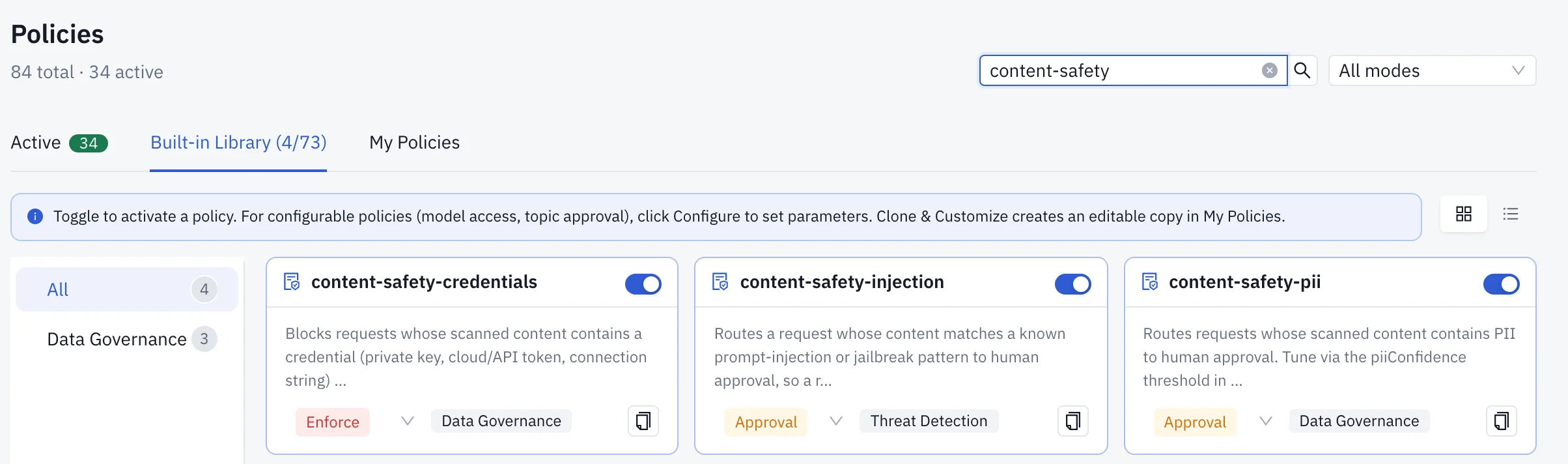
Every disposition is a policy. Three built-in content safety policies are enabled in every workspace, and you change their mode like any other policy.
| What was found | Where AIControls checks it | Default action | Other options |
|---|---|---|---|
| Credential in a prompt or tool call | Request scan, before forwarding | Block (content-safety-credentials, Enforce) |
Warn, Audit, scoped exception |
| PII in a prompt or tool call | Request scan, before forwarding | Hold for admin approval (content-safety-pii) |
Deny, Warn, Audit; route to another upstream |
| Prompt injection | Request scan, before forwarding | Hold for admin approval (content-safety-injection) |
Deny, Warn, Audit |
| Credential or PII in a model reply or MCP tool result | Response scan | Not covered by the three request policies | Deny, or redact with a Redaction mutation |
| Any of the above, in the stored audit record | At write time | Redacted, whether or not a policy fired | Personal-data redaction can be turned off; credential redaction can’t |
A held PII request is parked for up to 5 minutes while the developer’s AI tool waits. If you’d rather fail fast, switch content-safety-pii to Deny. One warning: disabling content-safety-credentials turns off credential blocking on the request path entirely. The findings are still scanned and visible to other policies and the audit log, but nothing blocks by default.
Can AIControls redact secrets instead of blocking the request?
On the response side, yes. On the request side, the documented options are block, hold, warn, audit or reroute.
A MutatingPolicy with patchType: Redaction and the proxy.nirmata.io/direction: response annotation removes the spans the scanner reported from the response text. This example redacts PII and credentials from MCP tool results before the agent sees them:
apiVersion: policies.kyverno.io/v1
kind: MutatingPolicy
metadata:
  name: redact-mcp-tool-results
  annotations:
    proxy.nirmata.io/direction: response
spec:
  matchConditions:
    - expression: 'object.mcp.tool != ""'
  mutations:
    - patchType: Redaction
      applyConfiguration:
        expression: |
          {"classes": dyn(["PII", "CREDENTIAL"]), "replacement": dyn("[REDACTED]")}
The spec also takes redactAll and entities, which limits redaction to specific entity codes. Redacted text reaches the caller on non-streaming responses: MCP tool results and synchronous LLM replies on the Anthropic Messages, OpenAI Chat Completions and Responses, and Copilot passthrough paths. On streaming responses the spec is computed but not yet spliced into the stream. To keep a value off the wire there, deny instead of redact and set llmProxy.bufferForDLP: true, so the response is held until the check passes.
The audit log’s redaction is a separate thing. It changes what AIControls stores, not what it forwards. The docs say so directly: the request forwarded to the model or MCP server is never altered by it.
How do you write your own sensitive-data rule?
The scanner’s results are exposed to CEL as object.request.* fields, so your own policies read the same findings the built-ins do. hasCredential and hasPII are booleans, piiEntities and credentialEntities list entity codes such as EMAIL, SSN or AWS_KEY, and piiConfidence carries the highest PII score.
This policy denies any MCP tool call whose arguments contain PII, rather than holding it:
apiVersion: policies.kyverno.io/v1
kind: ValidatingPolicy
metadata:
  name: deny-pii-in-mcp-tool-args
spec:
  matchConditions:
    - expression: 'object.mcp.tool != ""'
  validations:
    - expression: '!object.request.hasPII'
      message: "Tool arguments contain personal data. Remove it and retry."
  validationActions: [Deny]
To tighten the built-in instead, the docs show a confidence threshold: !(object.request.hasPII && object.request.piiConfidence >= 0.5).
Blocking isn’t the only answer for PII. A MutatingPolicy with patchType: Defaults can set routing.upstreamName when object.request.hasPII is true. The docs’ example sends those requests to an upstream with a stronger data-retention guarantee. If the named upstream doesn’t exist, the override is ignored and the request goes where it would have gone anyway, so check the name.
How do you roll this out?
- Route each agent’s model and MCP traffic through AIControls. For Claude Code that means pointing
ANTHROPIC_BASE_URLat your workspace; the docs have guides for Cursor, Copilot and Codex too. - Open Security → Policies and confirm the three content safety policies are enabled with the modes you want.
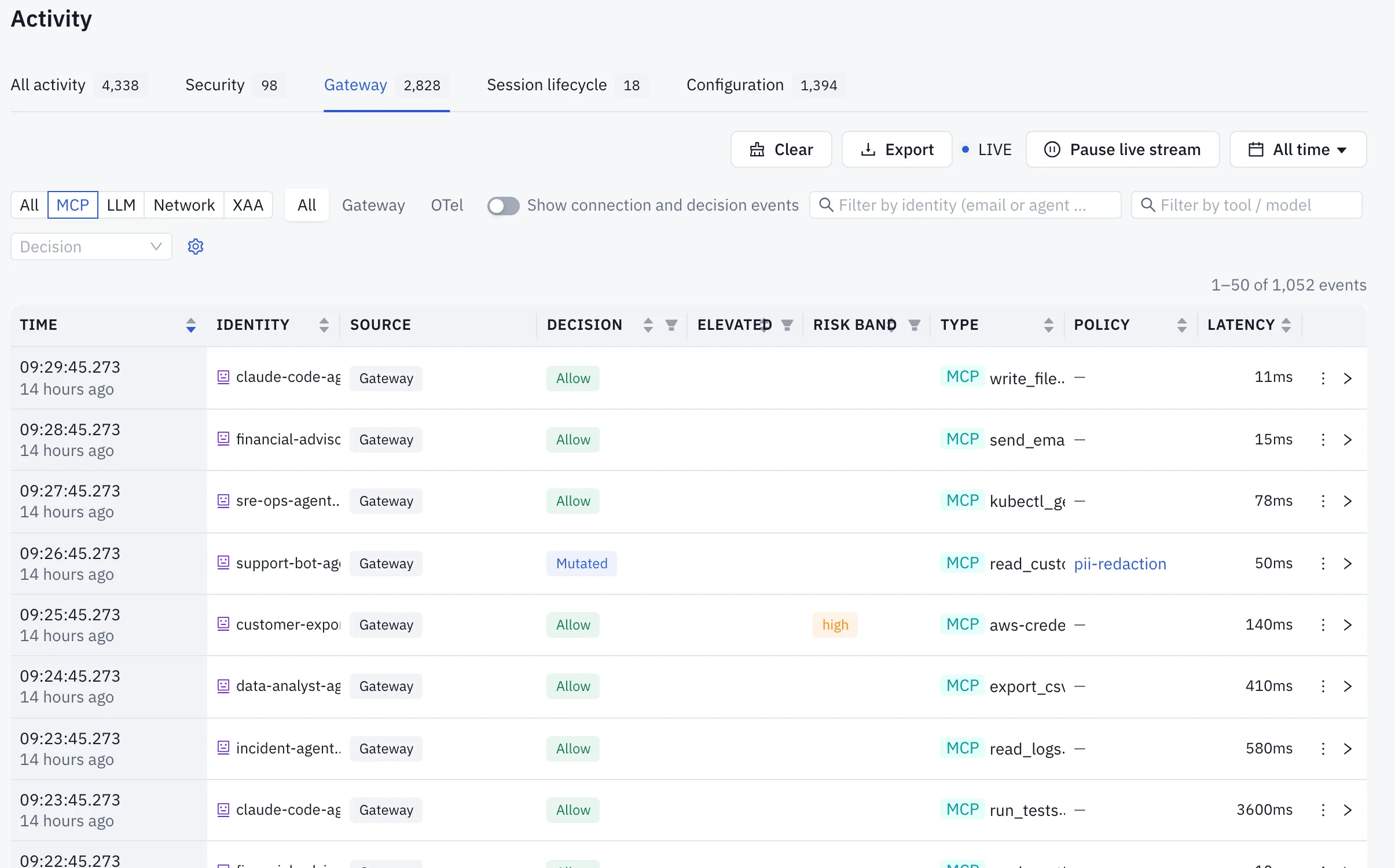
- Put any new content-safety policy in Audit mode first and review its findings in Security → Activity for a couple of weeks. Don’t rely on Replay here. It doesn’t re-run scanning, so the
object.request.*fields are absent and a content-safety policy always shows zero matches. - Tune noise. Raise a threshold in the policy expression, or turn off one noisy entity type under Settings → Content Safety → Detectors without disabling the whole policy.
- Add response-side policies: a deny for streaming routes, with
llmProxy.bufferForDLP: true, and aRedactionmutation for MCP tool results and synchronous replies. - Optionally, add your own classifier under Settings → Content Safety → External Guardrails and use Send test request to check the label mapping before you save.
- Graduate gradually, from Audit to Warn Approve to Deny.
Where do findings go after a block or redaction?
Each finding records which part of the text triggered it. The evidence shows a typed placeholder in place of the value, such as [REDACTED:AWS_KEY:****MPLE], under a Why this was flagged list. The secret itself is never stored.
Findings roll up into incidents in Security → Activity → Correlated findings. An incident groups findings with the same actor, pattern and target, and a content-safety detector counts as a pattern. A content safety finding takes its detector’s severity band, capped at medium when the detector’s confidence is below 0.7.
From there an admin can export an incident to Splunk, Microsoft Sentinel, Amazon Security Lake or a webhook as an OCSF Detection Finding, from Integrations → Security export. Integrations → Security tickets opens a Jira Cloud issue or a ServiceNow record. Evidence content is never sent to either, and a ticket never contains prompts or responses. Finding summaries go out only if you turn on Include finding summaries, and credentials and personal data are redacted from them first.
What doesn’t a gateway scan cover?
Read these before you tell a security team that secrets can’t reach a model:
- Anything that skips the gateway. The docs put it plainly: the gateway can only see what came through it. An agent reading
.envoff disk is a local problem. For local controls, see how to stop Claude Code from reading secrets and .env files, how to use .cursorignore to keep secrets out of Cursor and how to stop AI coding agents from committing secrets to git. - Some cloud routes. For Bedrock and Claude-on-Vertex, the cloud proxy only pre-scans Anthropic- and Gemini-shaped requests. Other model families it fronts, and Bedrock’s Converse API, are forwarded without a request-side scan.
- Streaming redaction. As above, deny on streaming routes instead.
- Single PII values. PII alerting is threshold-gated, so one phone number in a message doesn’t fire on its own.
Related reading and next step
For detection methods and national ID formats in depth, read how to stop PII and national IDs from reaching LLMs. To hold other risky actions for a reviewer, see how to block or approve AI agent actions before they run. The MCP security pillar and the governing AI agents hub cover the controls around this one.
The AIControls platform page covers the rest of the product. To try the content safety policies on your own agents’ traffic, download AIControls or request a demo.
Frequently asked questions
Does AIControls send prompts to a third party to scan them?
Not by default. The pattern-based detectors run inside AIControls. An external guardrail is something you add, and once enabled it receives every scanned prompt, response and tool call, so the docs say to add only an endpoint you trust with that data. Presidio and LlamaGuard appear as built-in guardrail entries whose connection settings live in config.yaml or Helm, not in the admin UI.
Will one email address in a prompt trigger the PII policy?
Usually not. PII alerting is threshold-gated: several distinct email addresses or phone numbers must appear in one prompt or tool-call payload before content-safety-pii raises a finding. Audit-record redaction has no threshold, so a single address is still replaced by a placeholder before the event is stored. Validated identifiers such as Aadhaar numbers must also pass their checksum.
What can a developer do about a false positive?
Use Report false positive on the Security Events finding, or on the approval request a content-safety policy raised. The report goes to an admin queue under Settings, Content Safety, Reports. The admin can dismiss it or choose Confirm and disable detector, which turns off that one entity type across the fleet without disabling the whole content-safety-pii or content-safety-injection policy.
Which AIControls plan includes content safety?
Content safety policies are not on the plan-gate list in the plans documentation. Exporting incidents to a SIEM and creating Jira or ServiceNow tickets are, and they need the Advanced Security add-on, sold separately on Business and included in Enterprise. Findings, incidents and their evidence stay readable on every plan, so a detection is never hidden behind a license.