

Tie every AI agent action to a person with Okta or Entra ID
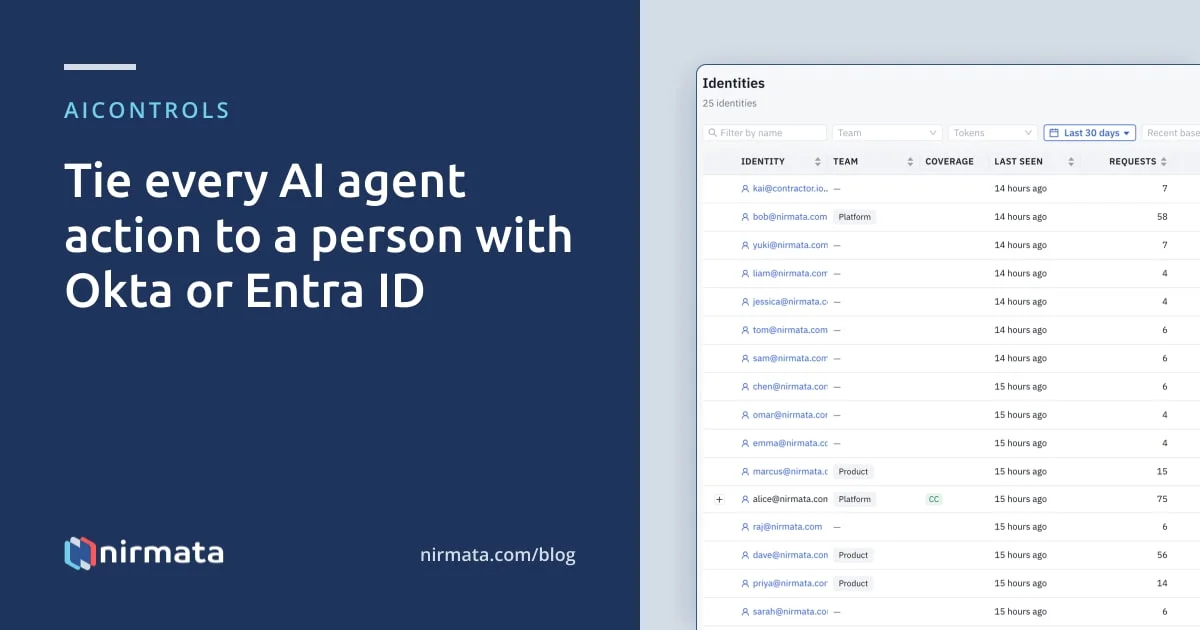
AIControls ties each AI agent request and MCP tool call to a person by validating the OIDC token from Okta, Microsoft Entra ID or another provider. It records the person’s email and team on every audit event. Budgets, Access Bindings and policies then apply per person or per IdP group, and agents acting for someone stay grouped under that person.
Checked against the AIControls docs for SSO, identity provider fields, identities and the audit log as of 2026-11-21.
Why does an AI agent action need a person attached?
When a coding agent deletes a branch or runs up a model bill, the first question is who asked it to. A shared API key can’t answer that. Neither can a Kubernetes service account on its own, which names a workload rather than the human behind it. We covered that gap in what agent identity is, and the vendor-neutral way to put people and agents behind one issuer in mapping AI agents and humans to one OIDC identity model.
This post is the product side. Most teams already run Okta or Entra ID, and that directory already knows who works there, which groups they belong to and when they leave. AIControls reads that identity at the gateway, so the person, the agent and the request all land on one row. Nobody has to keep a second user list in sync.
How does AIControls decide who made a request?
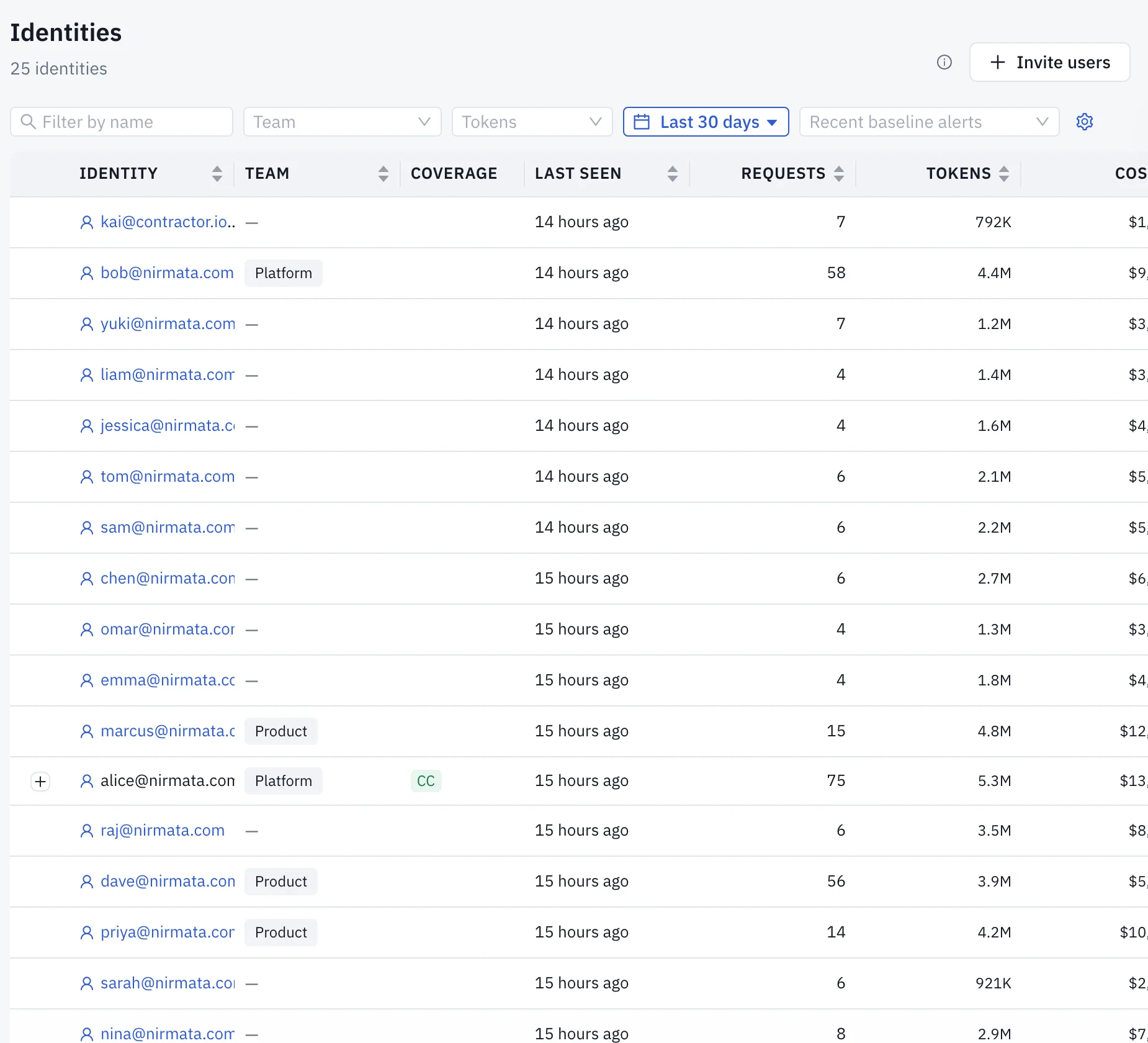
Every developer and agent that connects through AIControls becomes a tracked identity on Inventory → Identities, created on its first request with no manual enrollment. A developer is identified by the email in their OIDC token or by a personal access token (PAT) issued to their account.
For a validated OIDC token, AIControls resolves the principal in a fixed order. It takes the email first, reading email, then upn, then preferred_username. If none is present, it uses the user ID claim, sub by default. A token with neither is rejected rather than attributed to an empty principal. Email comes first because PATs, portal accounts and developer sessions all key on it, so a budget set for one address follows that person however they connect.
Groups are read from the groups claim and passed through unchanged. Team group bindings under Settings → Teams turn those values into AIControls teams when a person first signs in through SSO.
What AIControls records for each identity source
The table lists the ways a person or agent can reach AIControls with an enterprise identity, what the docs say gets recorded, and what you can do with it afterwards.
| Identity source | What AIControls attributes the request to | What you can then do |
|---|---|---|
| Developer signed in through Okta or Entra ID SSO | The person’s email, or the user ID claim if no email is present, plus team membership at the time of the request | Per-user budgets, per-team and per-group Access Bindings, group checks in CEL policies |
| Claude Code or another CLI tool using a PAT | The account the PAT belongs to, which is an SSO account when the person signed up through SSO | The same per-person controls, and revoking that one token from the identity’s detail page |
| Okta Cross-App Access agent, per-agent identities mode | The delegating human, with the governed agent tracked as its own identity under that person’s row | Separate request count and audit history per agent, and client_id on each audit event |
| Okta Cross-App Access agent, shared identity mode | The delegating human, with every governed agent behind the deployment grouped as one identity | Separation from ordinary human traffic, but not between agents |
| Microsoft Entra Agent ID (app-only token) | The agent’s Entra application ID, with no person attached | Per-agent policies, budgets and audit keyed on the application ID |
Token usage and cost for Okta governed agents are attributed to the delegating human and shown on the parent row. The docs state that a per-agent token and cost breakdown is not recorded, so the nested agent rows show — in those cells.
How to connect Okta or Entra ID to AIControls
These steps follow the AIControls pages for admin console SSO, Builder Portal access and identity provider fields. One provider registration can cover the developer portal, AI clients and the admin console.
- Register an OIDC application in Okta or Entra ID, then open Setup → Settings → Identity & Access → SSO / OIDC in AIControls and enter its details.
- Under Advanced, set User ID Claim to
oidfor Entra ID. Leave it assubfor Okta and other providers. - Set Groups Claim to the claim that carries group memberships,
groupsby default. Configure the IdP application to emit groups in the token. Entra emits group object IDs, not display names. - Under Settings → Teams, bind each emitted group value to the team that owns the model access, budgets and policies those developers need.
- To use the same provider for administrators, register
https://YOUR_CONSOLE_URL/auth/oidc/callbackas an extra redirect URI, turn on Also use this provider for admin console sign-in and set Console Redirect URL. Optionally turn on Assign roles from identity provider claims under Role mapping. - Have developers sign in to the Builder Portal at
/ui/dev/loginwith Sign in with SSO, create an access token and connect their AI tool from the setup wizard. - Send one request from Claude Code, then open Security → Activity → Gateway. The row should show the developer’s identity, the model and the decision.
Configure the provider by file instead
Self-managed installs can define providers under identity.oidcProviders in the Helm values. That’s also the only way to trust more than one issuer, for example during a move from one identity provider to another. This Entra entry is adapted from the Claude Desktop setup guide:
identity:
  oidcProviders:
    - name: entra-gateway
      issuer: https://login.microsoftonline.com/YOUR_TENANT_ID/v2.0
      audience: YOUR_PORTAL_CLIENT_ID
      userIDClaim: oid              # Entra: sub is pairwise per app registration
      groupsClaim: groups
      clockSkewSeconds: 60
      autoProvision: true           # only needed for team-scoped model access
      autoProvisionFallback: none   # unmatched groups get no team, not the default one
Every provider needs an audience. A provider with no audience and no explicit skipAudienceCheck rejects every token, because a valid signature only proves your IdP minted the token, not that it was minted for AIControls. Auto-provisioning matters when people reach the gateway without visiting the portal. Without a portal record, a user resolves to the global model ceiling instead of their team’s.
What about agents that act on behalf of a person?
Okta Cross-App Access (XAA) is the path where an agent carries a person with it. The Okta XAA post explains the token exchange. Here, the part that matters is attribution: for a governed agent authenticated through XAA, the identity AIControls records for the request is always the delegating human.
Setup → Integrations → Okta (Discovery) has an Agents tab for this. Once you paste a write-scoped Okta API token and enable write access, the tab lists every AI Agent object Okta already has. Register a new agent or Onboard as governed agent runs a wizard that always uses per-agent identities, so each agent gets its own Okta credential and can be revoked on its own. Each governed agent then appears on the Identities page and in the audit log under its display name, grouped beneath the person it acts for.
For an XAA call to an MCP tool or an LLM, AIControls also looks up the agent’s Okta AI Agent object and stores it on the audit event as trusted workload metadata with source okta-ai-agent. The caller can’t supply that metadata. The Okta agent OIDC feature is marked Preview, and the docs say its identity model may still change.
Agents with no person behind them
Some agents run on their own: a nightly report job, a remediation bot. Microsoft Entra Agent ID gives each one a native agent identity created from an agent identity blueprint. AIControls trusts those tokens once you add the tenant under Settings → Identity & Access → SSO / OIDC → Agent tokens → Agent identity providers. That provider authenticates only app-only agent tokens, never people, and identifies each agent by its Entra application ID.
The setup guide lives in the self-hosted Kubernetes section of the docs. It walks through two agents, one that can read and one that can read and write. The gateway keeps trusting Kubernetes ServiceAccount tokens at the same time. For agents that run on Kubernetes without Entra, see how to give AI agents identity in Kubernetes.
A deployment-level setting can also hard-block any request from an unverified identity, such as one built from unsigned JWT claims. Each blocked attempt lands in the audit log under the policy name unverified-identity.
Per-person policies, cost and audit
Once the person is known, the rest of AIControls uses that identity.
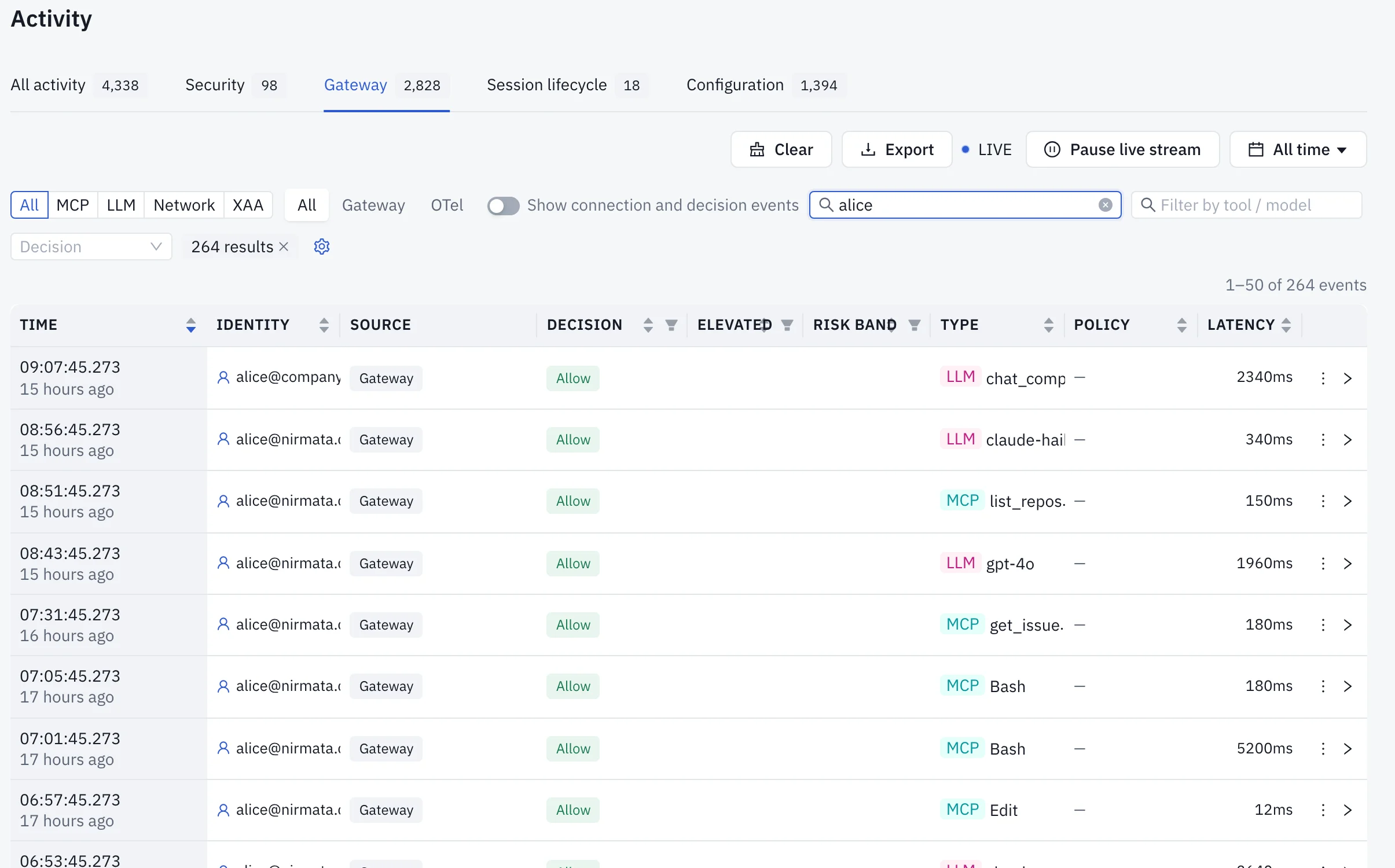
- Audit. Each event records the developer email or agent ID, the team membership at the time of the request, the tool or model, the decision and the policy. XAA calls add the
grant_jtiof the grant that authorized them. Export to CSV from Security → Activity → Gateway. - Budgets. Under Cost → Budgets → Rules, a rule’s scope can be
User, with the person’s email as the target, orTeam. A Team rule can give each member its own allowance. - Tool access. Access Binding subjects can be a
team, an IdPgroup, auseremail or anagent. Our post on filtering MCP tools by identity covers bindings in depth. - Policies. When a human OIDC token is present, CEL policies can read
object.user.email,object.user.groups,object.user.rolesand raw claims inobject.user.tokenClaims. - Risk. Each identity carries a risk score from 0 to 100, built from policy violations, human-approval rate and detections over the last 7 days.
How do you cut off one person’s agents?
On Inventory → Identities, Block generates and enables a deny policy named identity-block-<identity>. You choose the scope: all traffic, MCP tool calls only or LLM calls only. The identity’s next matching request is denied with the reason you entered. Unblock deletes the generated policy.
The identity’s detail page lists its PATs, and an admin can revoke them there. A revoked PAT stops working at once on the replica that handled the revoke and within 30 seconds on the others. A developer who linked their enterprise identity for Cross-App Access stays linked until they unlink or their access is revoked at the IdP.
The docs don’t describe AIControls revoking PATs automatically when someone is disabled in Okta or Entra ID. Add PAT revocation and a block to your offboarding checklist. An identity row can be deleted once it qualifies as stale: no requests ever, or none in the last 30 days.
What this doesn’t cover
Attribution covers traffic that goes through the AIControls gateway or MCP proxy. Events an agent reports over OpenTelemetry are stored with the OTel source and were not enforced by the gateway. Those that match no AIControls account appear under Unmatched on the Identities page, with no detail page.
Under Okta’s shared identity mode, governed agents can’t be told apart from each other. Entra agent identities identify an agent, not the person who started it. And group-to-team placement happens only at first sign-in: an account that already exists keeps its teams, so a later change of IdP group has to be reassigned on the user’s page. For the wider picture of who controls agents, see governing AI agents.
Next step
The AIControls platform page covers the gateway, MCP governance and cost controls that sit on top of this identity layer. To connect your own Okta or Entra ID tenant and see each agent request land on a named person, download AIControls or request a demo.
Frequently asked questions
Why does Microsoft Entra ID need the user ID claim set to oid?
Entra's sub claim is pairwise. It is scoped to the app registration that requested the token, so the same person signing in through two applications shows up as two principals, and their budget and attribution history splits silently. The oid claim is the tenant-wide immutable user object ID, so it stays the same for one person wherever they sign in. Okta and most other providers can keep sub.
Can a policy match on an agent's readable name from the identity provider?
It shouldn't. AIControls reads a name claim only after the token's signature, issuer and audience are verified, but the name is display text. Whoever manages the application in your identity provider controls it, and two applications can share one. Budgets, attribution, audit records and policies keep using the immutable ID, so renaming an app never merges or splits history. Write policies against the ID.
How quickly does a role change in Okta or Entra ID reach AIControls?
With role mapping on, AIControls reads the role claim at the person's next sign-in and saves the result. Later console requests use the stored role. With several replicas, allow up to two seconds for a change to reach all of them. Promoting a Viewer to Admin needs no new sign-in, while demoting an Admin ends their managed console session, so they have to sign in again.
Is enterprise identity attribution available in Nirmata-hosted workspaces?
Team access, Access Bindings and the LLM gateway are listed as available in both hosted and self-managed AIControls. SSO itself is part of the Business plan, alongside roles and enforcement. The Microsoft Entra agent identity guide sits in the self-hosted Kubernetes section of the docs, and the Okta agent OIDC setup is marked Preview, so check both against your deployment before you plan around them.