

How to block or approve AI agent actions before they run
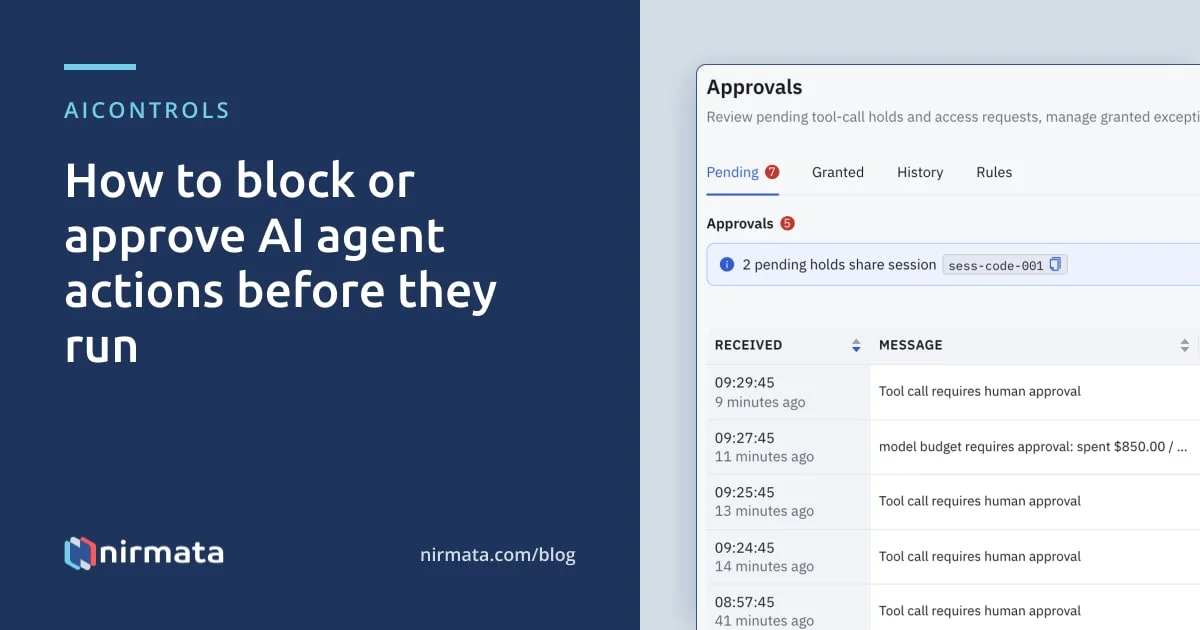
AIControls evaluates every MCP tool call and LLM request that passes through its gateway against CEL policies before the call is forwarded. Each policy can allow the call, deny it, rewrite it, ask the user to confirm, or hold it in an approval queue until an admin approves or denies it in the dashboard or in Slack.
Checked against the AIControls documentation for v1.23.0 as of 2026-11-21.
What can AIControls decide before an action runs?
A policy’s enforcement mode sets what happens when it matches. You set the mode with validationActions or with the proxy.nirmata.io/enforcement-mode annotation, and the annotation wins when both are present. Rewriting is a different policy kind, MutatingPolicy, which changes the request before it is forwarded.
| Decision | What happens to the call | When to use it |
|---|---|---|
| Allow | Forwarded unchanged | No policy matched, or the call passed |
| Deny | Blocked at once; the developer sees the policy’s message | Actions you never want an agent to take |
| Approve | Held inline in Security → Approvals; resumes on approval, stops on rejection or timeout | Risky actions that are sometimes legitimate |
| Ask | Paused while the user confirms inline, then proceeds | Actions the developer at the keyboard can judge |
| Mutate | Rewritten, then forwarded; recorded as Mutated | Steering a request, such as swapping a disallowed model for an approved one |
| Warn | Proceeds with a warning appended to the response | Soft nudges the agent relays to the developer |
| Audit | Proceeds; the match is logged | Testing a policy on real traffic first |
Ask confirmations carry a signed, single-use token bound to the policy and the identity, so a “yes” can’t be replayed on a later turn or in another conversation.
Where does the check happen?
AIControls sits inline. MCP tool calls go through its MCP proxy, and model traffic goes through its LLM gateway, so a policy sees the call before the tool or model does. The documented scope is the request: in the docs’ words, “the model’s request is controlled, not execution.”
That has two consequences worth planning around.
First, an agent that calls tools without going through the gateway is outside this control. The docs point to endpoint or egress controls for that case, so a policy here is only as complete as your routing.
Second, when a model asks the client to run a built-in tool, such as Claude Code’s Bash or Read, the client runs it, not AIControls. Response policies on the LLM call can check those tool calls on the streaming and non-streaming routes the docs list, and on those routes a denied tool call is never delivered to the client. Elsewhere AIControls records the tool call in Security → Activity with an Observed decision, because no policy evaluated it as its own call. A tool call that passes through the MCP proxy keeps its real decision.
How do you write a policy that holds an action for approval?
Policies are Kyverno CEL documents. Match conditions pick the calls a policy applies to, and a validation expression that evaluates to false is a violation. The example below holds any MCP tool call whose derived access type is delete. AIControls tags each declared tool as read, write, delete, execute or unknown, so you can target destructive tools without listing their names.
apiVersion: policies.kyverno.io/v1
kind: ValidatingPolicy
metadata:
  name: approve-mcp-deletes
  annotations:
    proxy.nirmata.io/enforcement-mode: Approve
spec:
  matchConditions:
    - expression: 'object.mcp.tool != ""'
  validations:
    - expression: 'object.mcp.accessType != "delete"'
      message: "Delete-type MCP tool calls need a reviewer's approval"
  validationActions: [Deny]
The annotation turns the Deny into a hold. Change it to Deny to block outright, or Audit to watch first. The same context carries object.agent.autonomyLevel (1 to 4), so you can scope a hold to your most autonomous agents with object.agent.autonomyLevel >= 3.
You may not need to write this one. The built-in mcp-require-approval-elevated-tool matches every MCP call classified Elevated Privileged, and autonomy-t4-hitl-privileged flags privileged operations by T4 agents. Both ship in Audit mode.
How do you roll out approvals without breaking agents?
Start every policy in Audit, measure, then switch it to a mode that holds or blocks.
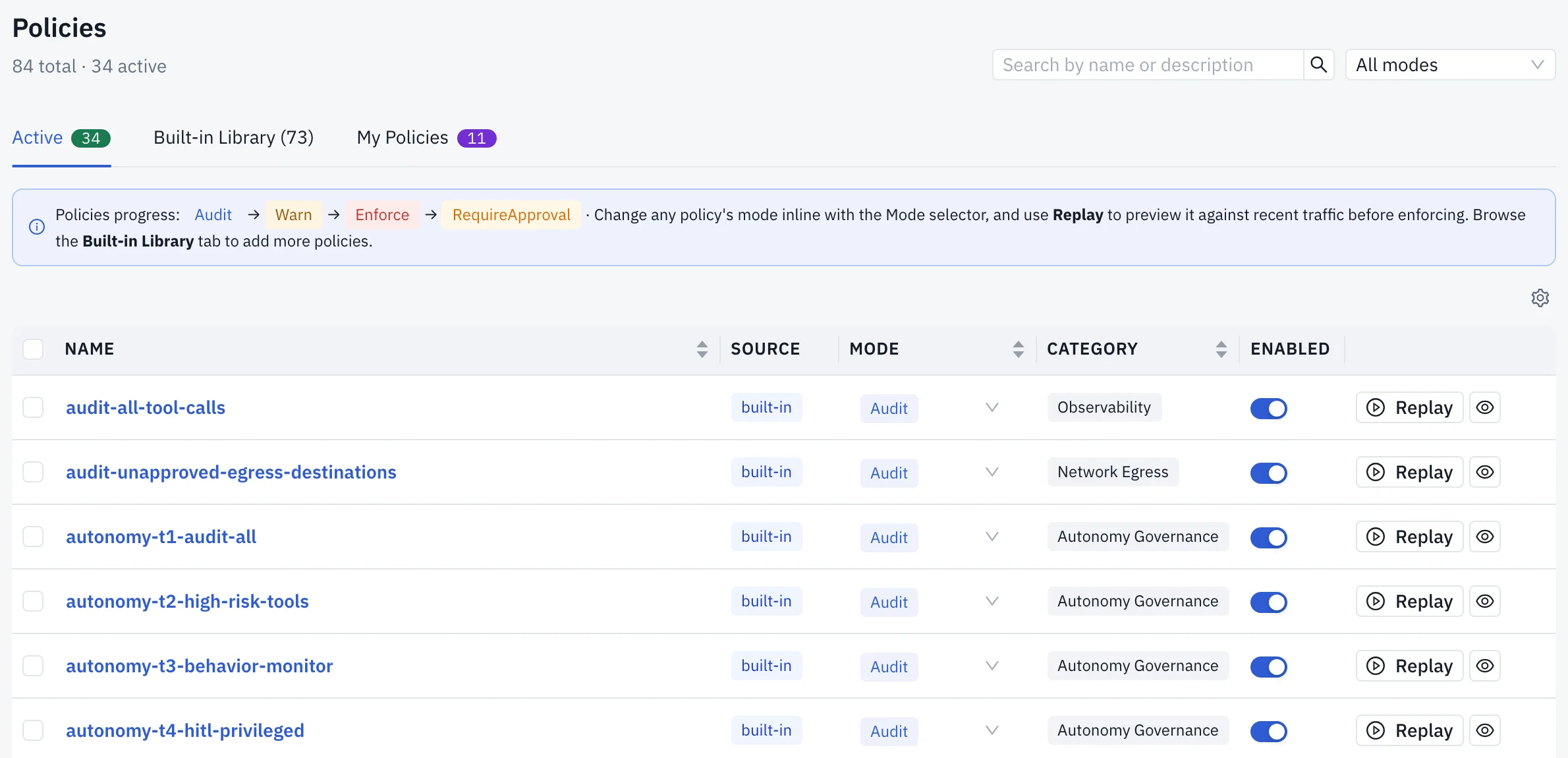
- Enable the policy in Audit mode. Built-ins are under Policies → Library; to narrow one, use Clone & Customize, which disables the original and leaves the copy disabled until you review it.
- Click Replay on the policy and dry-run it against up to 30 days of audit history. A run covers at most 10,000 events or 10 seconds and marks a partial result so you can continue from a cursor.
- Check the coverage panel. Audit history doesn’t retain everything, such as identity labels and team membership, so zero matches only counts when coverage is complete.
- Switch the mode with the inline selector on the Policies page. A mode set there overrides the YAML annotation and survives upgrades.
- Set the approval windows and the timeout behaviour in Settings → General → Human Review.
- Raise the request timeout on every proxy, ingress or load balancer in front of AIControls above your longest window. The docs’ example: a 180-second route timeout cuts off every held LLM request under a 5-minute window.
How do approvers decide, in the dashboard or in Slack?
Held calls appear in Security → Approvals → Pending with the requester, the tool or model, the policy and its message. An LLM hold includes a short prompt excerpt with credentials redacted. An MCP hold shows the tool’s access type and why it is Elevated. Deciding requires the admin role; viewers can read the queue but not act.
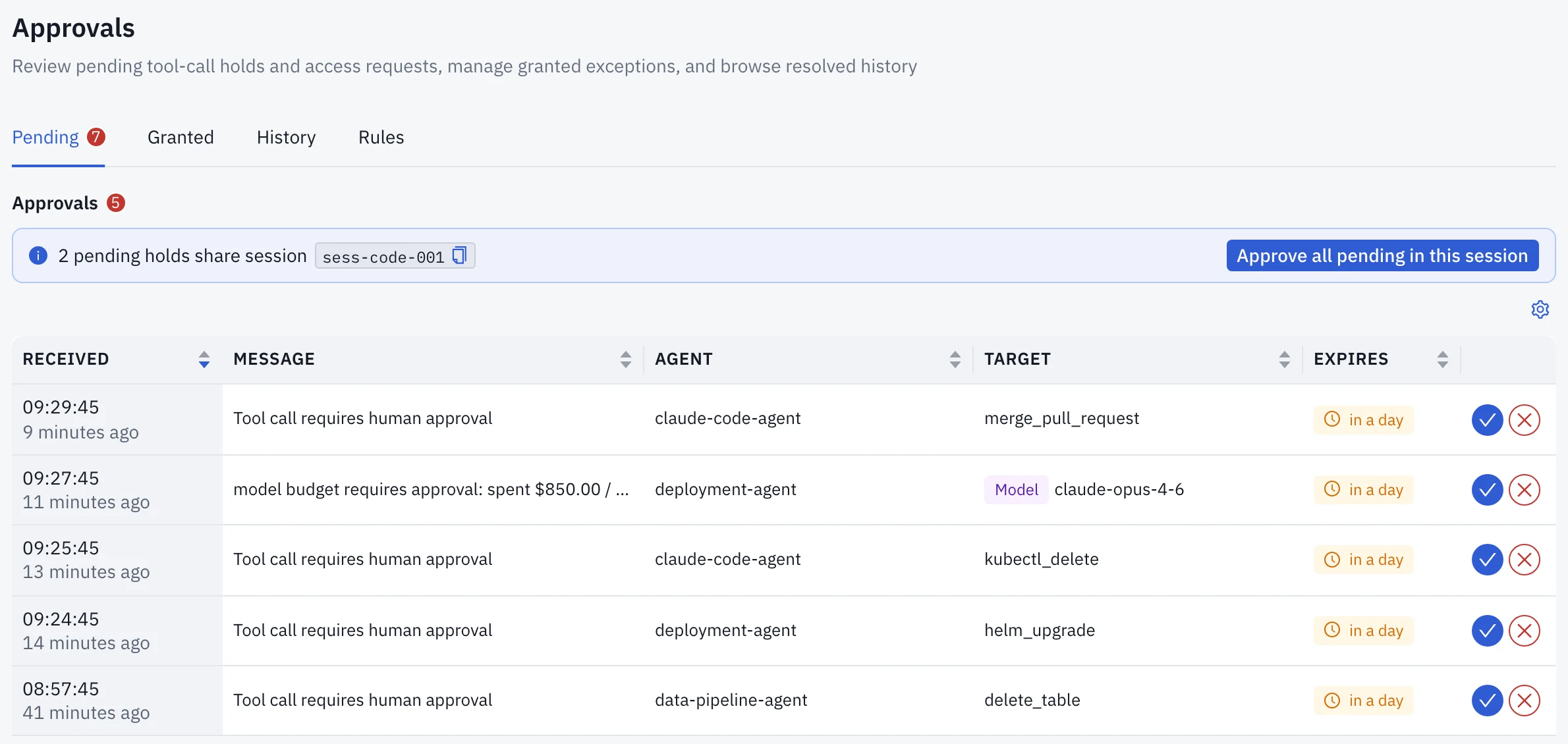
Approving an MCP call from a developer session also offers a standing exception, ticked by default. You choose its scope: this tool in this session, any tool under the policy in this session, or this developer for a duration. Every such grant expires, after 30 minutes by default. Untick it to release one call and hold the next.
For Slack, add an integration in Settings → Integrations → Slack and route the HITL pending event to an approver channel. The message carries Approve and Deny buttons that work without a browser login, and the outcome is recorded with the approver’s Slack identity. The buttons need Interactivity turned on in your Slack app, with the Request URL from Settings → Integrations → Slack → Advanced.
What happens to the agent while it waits?
The call is parked, not rejected. That covers MCP tool calls and LLM requests from Claude Code, Cursor, Copilot and the OpenAI Responses API. On a streaming request the developer’s tool shows a notice with the policy, the approval reference and the timeout.
| Held call | Default window | If nobody decides |
|---|---|---|
| MCP tool call | 30 minutes | Denied, unless you configure the timeout to let it through and audit it |
| LLM request | 5 minutes | Same |
A denial or timeout on an LLM request comes back as a normal assistant turn that begins Blocked by AIControls:, with your reason, so it reads the same in every client. On MCP the tool result is an error. Write a real reason when you deny; the developer sees it quoted.
One agent turn often sends several identical requests. While an approval is pending, identical calls from the same agent, session and policy attach to one entry, and your single decision releases or stops all of them. A call that arrives after you decide needs a new decision.
What does this not cover?
The limits are in the docs, and they are worth reading before you promise a security team “every action is approved”:
- Traffic outside the gateway. Nothing here applies to a call that never reaches AIControls.
- Some cloud routes. On Amazon Bedrock, holds work for Claude and Gemini on
InvokeModelendpoints. Claude over the Converse API, and other Bedrock model families, are blocked outright by an Approve policy instead of held. - Token counting. An Approve policy blocks a token-count request immediately, because tools send many per turn. The model request that follows gets the real hold.
- Execution. Approval releases the call; it doesn’t prove the tool succeeded. AIControls sends a released MCP call at most once and returns any error without replaying it.
- Observe-only mode. While a workspace is in observe-only mode, an Approve policy never holds anything. The request continues and the decision is recorded as a shadow event in the audit log.
Related reading and next step
For where an approval step fits in a wider control model, read the AI agent governance overview and AI thinks. Humans decide.. For the vendor-neutral side of the same problem, see tool-level authorization for AI agents, how to classify MCP tools by risk and how to pin an AI agent to its approved plan.
The AIControls platform page covers the rest of the product. To try an Approve policy on your own agents, download AIControls or request a demo.
Frequently asked questions
Can the developer whose call was held approve it themselves?
No. The approver's identity comes from the signed-in session, and AIControls rejects an approval from the developer who raised the request or made the held call, then records the attempt in the audit log. Denying your own request is allowed. The one case with no requester to compare against is a held call from a client that used a bare API key with no session.
Can approvers act on held calls from Microsoft Teams?
Not inside Teams. Teams incoming webhooks support only link buttons, so the Approval Required card shows the agent, tool, policy and approval ID, plus a Review request button that opens the Approvals page. On self-hosted installs, set ui.publicURL so the button appears. Slack is the chat integration where Approve and Deny work in the message itself.
Can a blocked developer ask for an exception without leaving their AI tool?
Yes. A denial can carry a signed, short-lived offer. On chat surfaces the developer replies with request exception and a reason; on MCP the tool can call aigov__request_exception. AIControls files a pending request in Security, Approvals, and the blocked action still does not run. Each developer is limited to 5 unresolved requests and 20 per hour.
How do approvals show up in the audit log?
The reviewer's decision is its own event, hitl_approved or hitl_denied, naming the approver. The released call then records its own decision: Allow, or Mutated if a policy changed it. A rejected call records Deny. Approval decisions are kept out of deny rates and per-identity risk scores, so working through the queue does not make reviewers look like a risk.